iPhone
A clearer view of today.
Photograph a meal and let BiteMemo add it to your journal. Edit later only if you want to.
Explore the iPhone app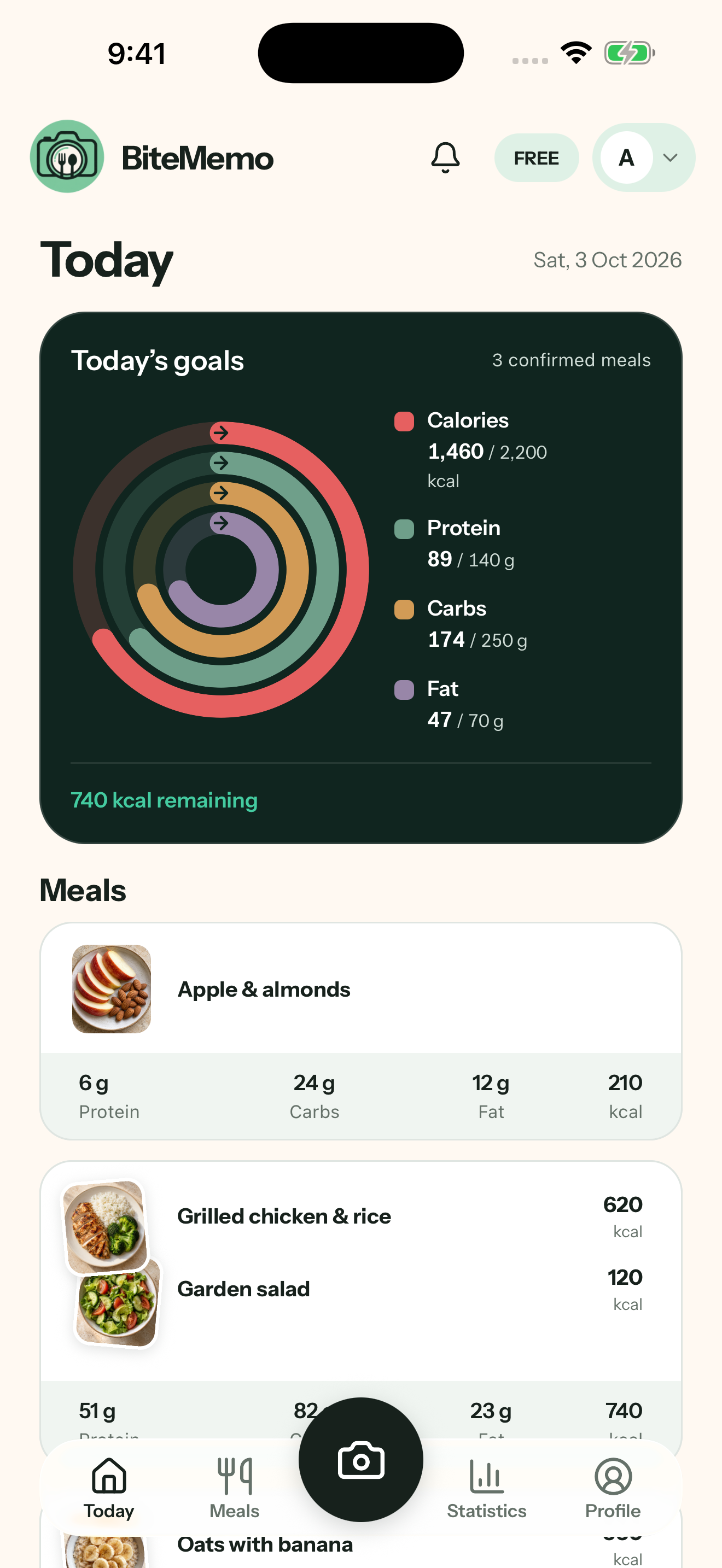
 BiteMemo
No fluff. Take one photo and BiteMemo automatically adds a calorie and macro estimate to your journal.
 A meal, remembered.
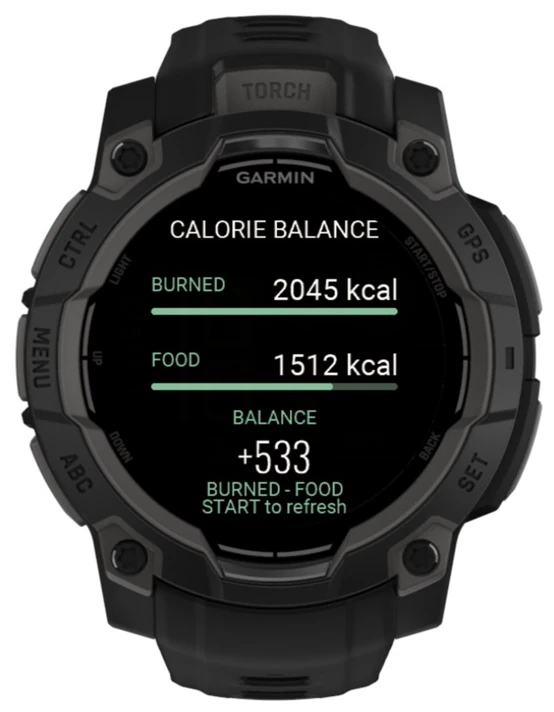
Track meals on the web, take BiteMemo with you on iPhone and Android, and see your day at a glance on Garmin.
Photograph a meal and let BiteMemo add it to your journal. Edit later only if you want to.
Explore the iPhone appRevisit what you logged and correct a meal whenever you need.
Google Play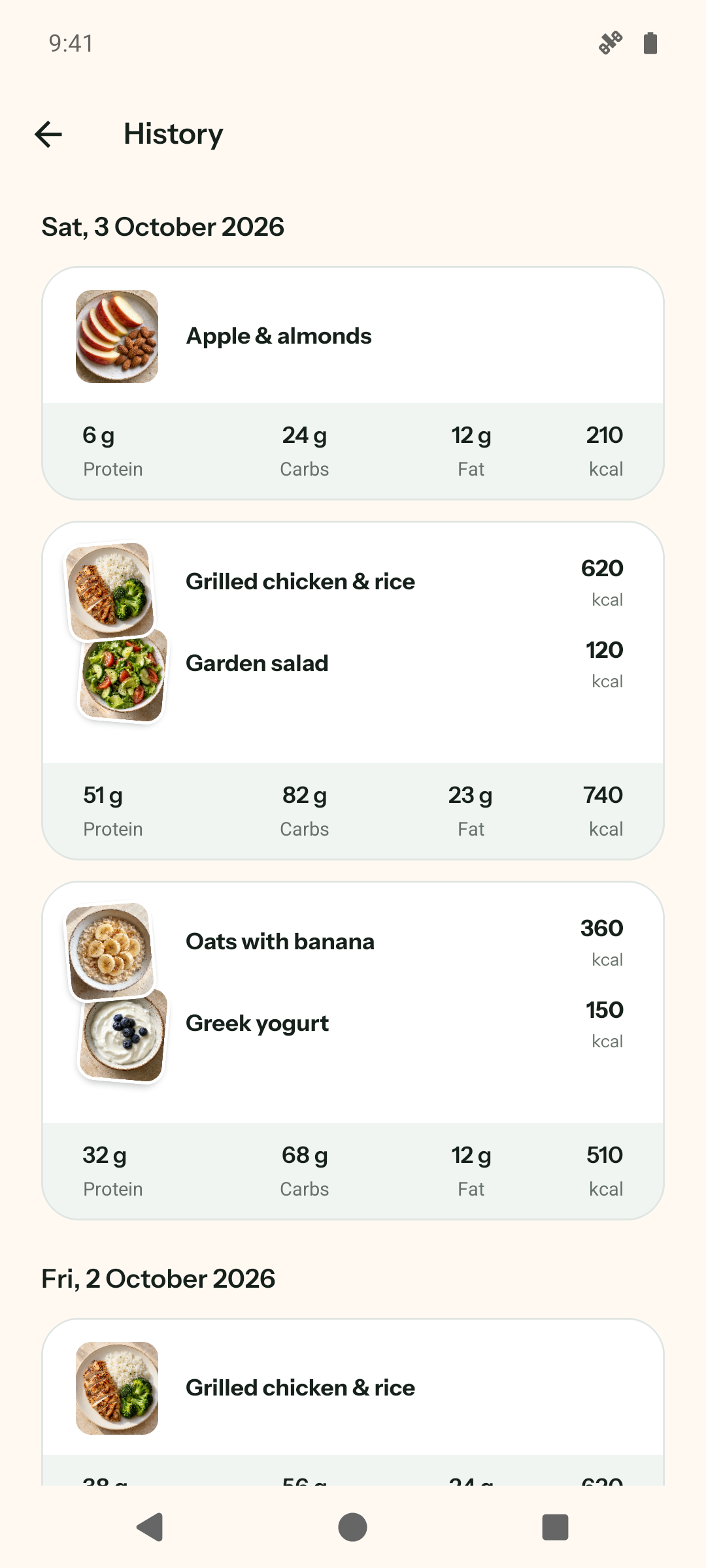
Four concentric rings bring calories, protein, carbohydrates, and fat together in your Today summary.
See the update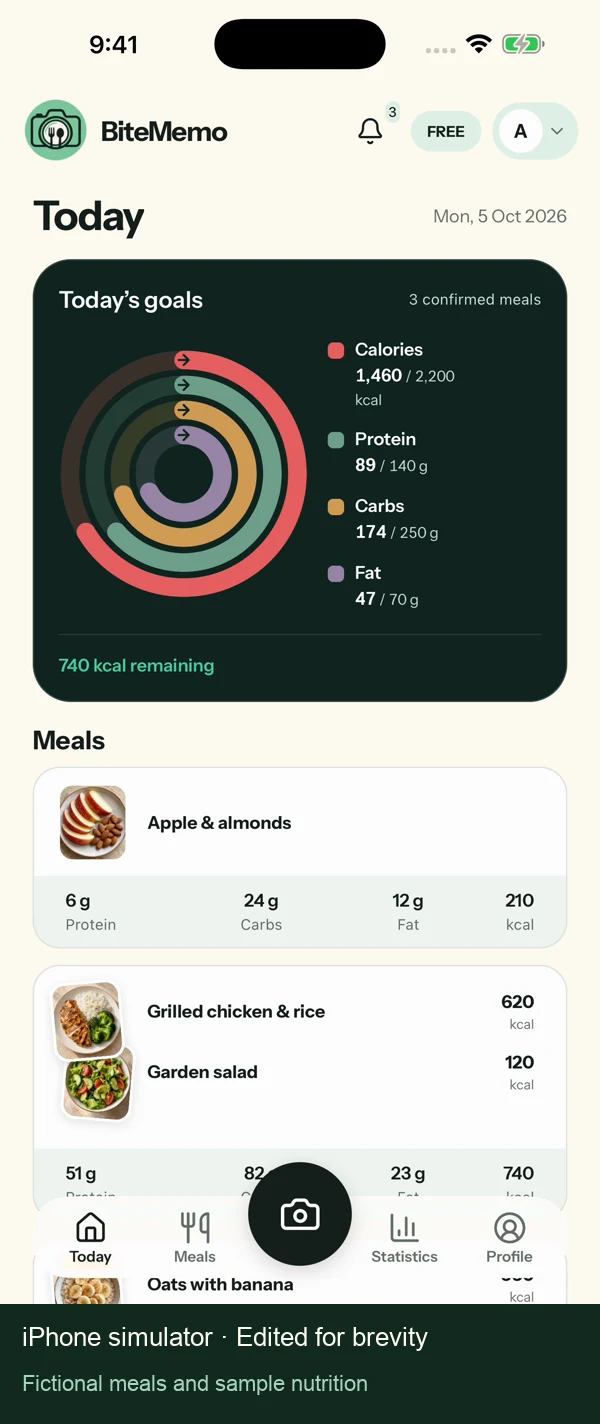
What a photo can tell you, what it cannot, and how you stay in control.
BiteMemo estimates the visible foods, portions, calories and macronutrients, then automatically saves the successful first result to your journal. You can leave while it processes and correct the entry later if needed.
A photo-based result is an estimate, not a measurement. BiteMemo shows a likely calorie value and a range because portion size, ingredients and preparation methods cannot always be determined from an image.
A photo may not reveal hidden oil, butter, sugar, sauce ingredients, exact weights or everything inside a mixed dish. Adding short context can help, and you can correct the saved estimate whenever needed.
Yes. You can edit the meal name, calories, protein, carbohydrates, fat and the portion you consumed. Manual corrections do not use another scan.
No. A successful first analysis is saved automatically at the full portion. Only a reanalysis you request waits for approval before it replaces the nutrition already in your journal.
BiteMemo removes image metadata, prepares the photo for analysis and stores it privately. Your retention setting controls whether a confirmed meal photo is kept or deleted, and you can delete meals or your account.
No. BiteMemo is a meal journal for recording editable estimates. It is not a medical device and does not provide diagnosis, treatment, allergy guidance or professional nutrition advice.
Yes. BiteMemo supports English and Bulgarian, and the BiteMemo brand name stays the same in both languages.